To design custom bridal jewelry with a 3D preview, use custom jewelry design with 3d rendering: your jeweler builds a CAD model, generates photoreal renders and a 360° spin, and gives you a transparent price to approve before casting. You then review exact dimensions, stone sizes, and how the piece sits on your hand or neckline, and lock the file and the quote.
Book a free 15‑min design consult →
Because bridal jewelry is high-stakes, heirloom-worthy, matched to outfits you’ve obsessed over, and made from 22K or 18K gold with certified stones, the 2026 tools now let you see and approve every angle early. You won’t rely on sketches alone or vague promises. You’ll approve exact dimensions, stone sizes, and how the piece sits on your hand or neckline.
Three days before my sangeet, I saw a full 3D spin of my pendant, tweaked the curve by 0.5 mm, and slept like a baby.
Moreover, you’ll learn how to compare jewelers on your terms: from BIS hallmarking and HUID checks to IGI/GIA certificates and a transparent price formula. Along the way, I’ll share what I wish I’d asked during my first consult and the two-line email that speeds up revisions.
What Is 3D Preview in Custom Jewelry Design — and Why Brides Need It
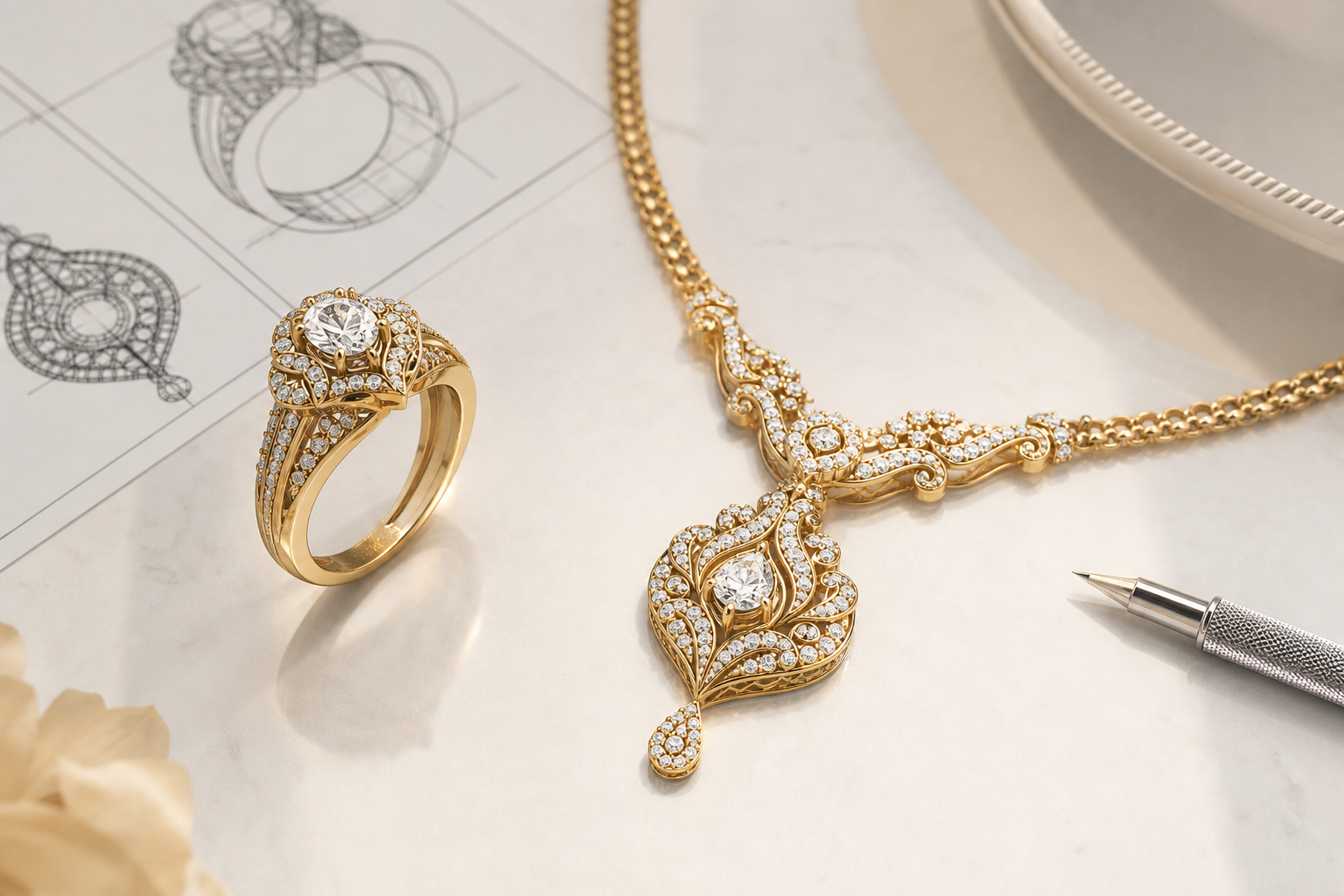
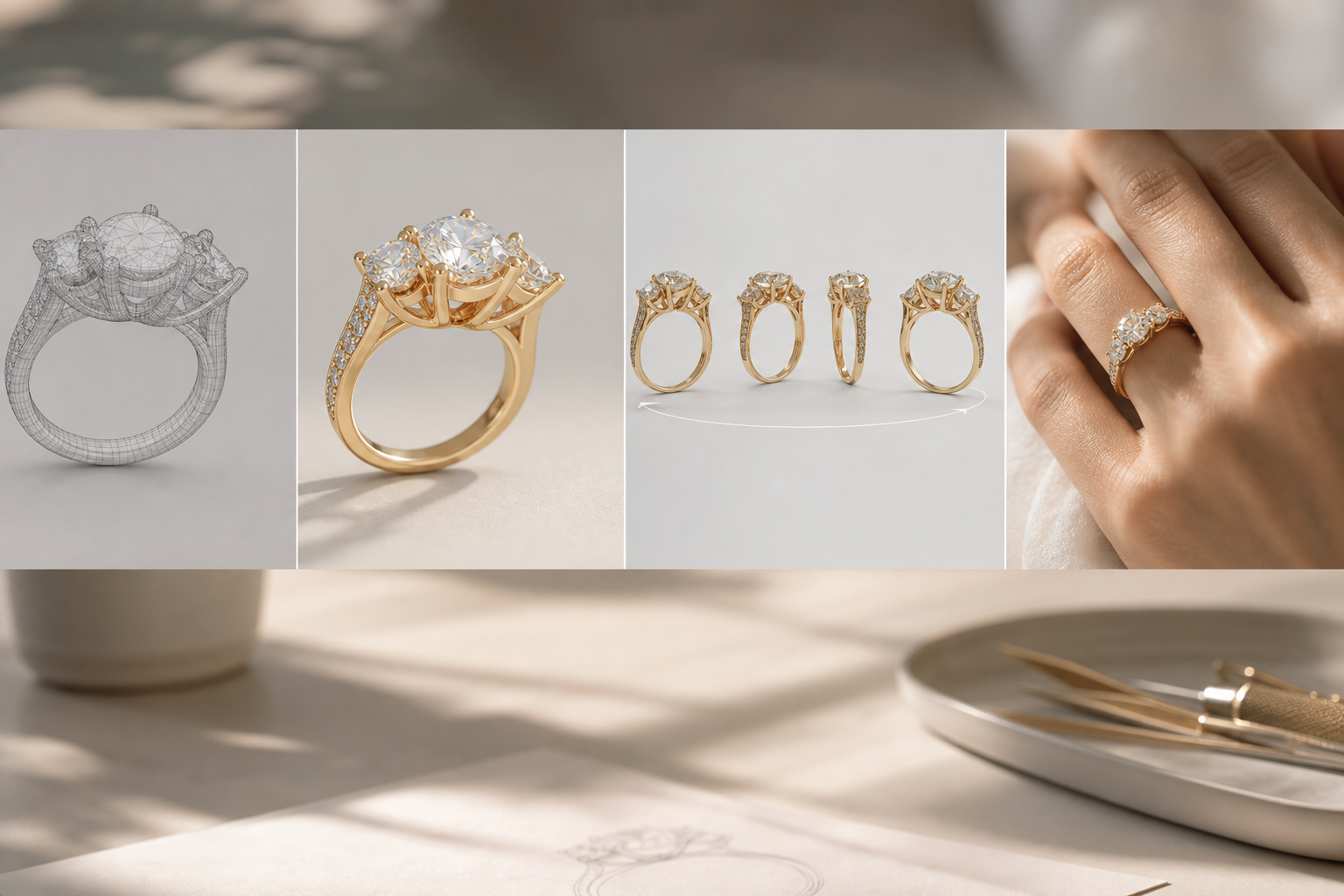
A 3D preview is a set of digital visuals built from a CAD model of your piece. First, a designer creates a precise 3D file with your ring size, band width, prong type, and stone sizes. Then, you get photorealistic renders and a 360° rotation view so you can zoom, rotate, and check every detail in real scale.
For bridal pieces, this matters more than for any other category. The materials are expensive. The design must match key outfits. And the piece may become an heirloom that your family treasures. For example, if you’re designing a kundan-inspired necklace to match a deep maroon lehenga, a render lets you see how the motif’s curve tracks your collarbone and whether the center drop sits at 38 mm or 42 mm from the chain.
On the other hand, if you’re building an engagement ring around your grandmother’s 0.72 ct round diamond, the CAD model shows exact claw positions and under-gallery height so the stone sits low and snag-free on your dupatta. You can try a scalloped basket versus a cathedral shoulder and decide in minutes.
Old Way vs. 3D Preview
- Sketches and talk vs. CAD model with exact millimeters and stone counts.
- One front view vs. 360° rotation, top/side/cross-sections, and hand-on renders.
- Hopes and “we’ll make it work” vs. approval on file before casting in 22K or 18K gold.
- Lump-sum quote vs. a clear breakdown: live metal rate × net weight + making + stones + GST.
“The bridal set I bought for my wedding was breathtaking. Craftsmanship is top and the BIS hallmark gave me total peace of mind.” — Priya Sharma, Mumbai
As a result, you remove guesswork at the point where changes are still cheap and fast, on screen, not at the bench. That’s the whole point of modern previews.
Get an instant 3D preview today →
Also Read!
Step-by-Step: How to Commission Custom Bridal Jewelry with 3D Preview
You can follow this process with any jeweler. The goal is to make smart decisions before metal is cast and stones are set.
Step 1: Gather Inspiration and Constraints
Start a tight mood board: 10–15 images max. Flag non-negotiables like “east-west set oval,” “meenakari accent,” or “max 18 grams total weight.” Save photos of the exact outfits you’ll wear. For heirloom projects, photograph the family piece next to a ruler in good light.
- Tip: Collect both look-and-feel and wearability cues. For example, “low profile for daily wear” is as useful as “vintage milgrain.
- Resource: For ideas on gifts that use previews well, see this 2026 guide: Best Custom Jewelry Design with 3D Preview for Jewelry Gifts in 2026.
Step 2: Choose Metal and Stones (22K vs 18K, IGI/GIA)
Decide on purity and color. 22K (916) is richer in hue and ideal for traditional bridal sets; it’s softer, so fine prongs or very thin bands aren’t ideal. 18K (750) balances strength and luxury and suits pavé, micro-prong, and delicate halos. Match metal tone to your skin and outfit undertones.
For diamonds, ask how center stones and melee are graded. Natural diamonds above 0.18 ct should come with IGI or GIA certificates. If you’re new to grading, the GIA diamond 4Cs guide is a clear primer. Confirm whether melee is graded in-house and what color/clarity range is used.
- Tip: If a jeweler can’t provide BIS hallmarking on gold/silver and IGI or GIA certificates for natural diamonds ≥0.18 ct, walk away.
Step 3: Book the Initial Consultation (Live or Video)
A proper consult runs 20–40 minutes. You’ll discuss budget, timeline (4–8 weeks for custom with rendering), metal purity, stone specs, and wearability. Ask about design constraints early: ring height, necklace drape length, and bangle inner diameter.
- Ask these questions:
- “How many 3D revisions are included and what’s the fee after that?
- “Can we do a live screen share to review the CAD?
- “What’s your pricing formula and when is it fixed?
“I love that I can book a video consultation before buying. The designer walked me through three options over a call. Bought on the spot.” — Kavita Reddy, Hyderabad
Step 4: Review the 3D Rendering Like a Pro
Request a 360° rotation, top/side/cross-section images, and a scale mock on a ring/hand/neck silhouette. Check proportions: band width (e.g., 1.7 mm vs 2.0 mm), prong thickness, stone sizes, and spacing. Confirm comfort angles: under-gallery height for rings, curvature for necklaces, and hinge points for earrings.
- Tip: Always ask for the net weight estimate in grams and a “wearability note” on comfort and snag risk.
- Pro move: Approve with a single email that lists dimension locks, e.g., “Band 2.0 mm at base, 1.8 mm at shoulders; center 6.0 mm; height ≤ 5.8 mm.
Step 5: Approve and Understand Pricing (No Surprises)
Insist on a transparent math breakdown before casting.
Total = Metal value (live rate × net weight) + Making charges + Stone charges + 3% GST on jewelry + 5% GST on making charges.
You should also see the live rates used. For example, Live Rates as of 06:44 am: 22K Gold ₹6,673/g, 18K Gold ₹5,464/g, Silver ₹89/g. Check that the net weight in your approval matches the quote.
- Tip: Transparent math beats lump-sum quotes because you can compare apples to apples across jewelers.
- Bonus: Save your approved render and quote PDF together. If the rate changes before casting, you’ll know what to expect.
Step 6: Track Production and Do a Final Quality Check
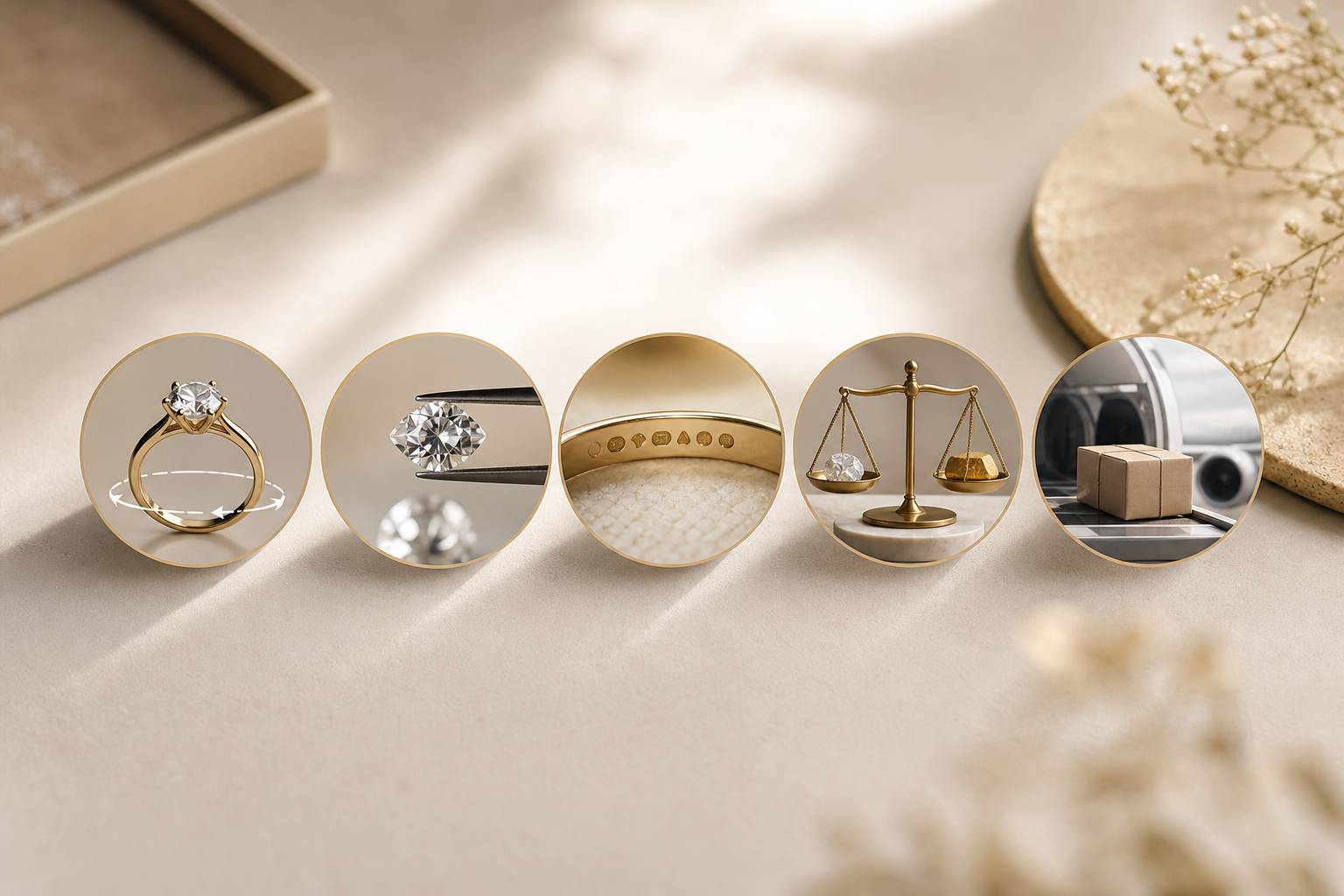
Production usually spans casting, setting, polishing, and finishing. Ask for 1–2 progress photos. At handover or delivery, verify hallmarks and paperwork: BIS hallmark with a unique 6‑digit HUID (you can verify it via the BIS portal or BIS CARE app), and IGI/GIA certificates for applicable diamonds.
- Tip: Weigh the piece. The gram weight should match or be within the stated tolerance of your approval.
- If you live abroad: Confirm insured shipping. Some retailers provide international delivery to 30+ countries via Brinks, fully insured, plus 365‑day free insured returns and a lifetime exchange policy.
For more on designing with confidence, here’s a practical tutorial: How to Design Custom Jewelry with 3D Preview for the Perfect Gift.
5 Mistakes Brides Make When Ordering Custom Jewelry Online
You’re juggling events, outfits, and family input. These are the pitfalls that derail timelines and budgets, plus simple fixes I’ve used myself.
Mistake 1: Skipping the Video Consultation
Relying on text and email hides nuance. Band width, height, or prong style can be misread. Fix it by booking a 20-minute video consult. Ask the designer to screen share the CAD and walk through changes live.
Mistake 2: Not Verifying Certifications Upfront
If a jeweler can’t provide BIS hallmarks on gold or silver and IGI or GIA certificates for natural diamonds above 0.18 ct, don’t proceed. The hallmark includes a unique 6‑digit HUID you can verify. Fix it by requesting sample certificates before you pay a design fee.
Mistake 3: Ignoring Wearability in the 3D Preview
Renders look stunning, but a 24‑gram earring may feel heavy during a 6‑hour ceremony. Fix it by asking for net weight estimates and a “comfort check.” Request a lower-profile setting or adjust thickness to trim grams without losing strength.
Mistake 4: Not Understanding the Pricing Formula
Flat quotes feel simple but hide trade‑offs. Fix it by demanding the transparent math: Metal value (live rate × net weight) + Making + Stones + 3% GST on jewelry + 5% GST on making. Transparent making charges are a trust signal.
Mistake 5: Ordering Too Late
Custom with 3D rendering takes 4–8 weeks. Festivals and wedding season can add a week. Fix it by back‑planning from your wear date. Book your consult 10 weeks out to allow for one design loop and a buffer.
Moreover, look for risk‑reversal policies that protect you, such as 365‑day free insured returns, a lifetime exchange policy, and a pledge to refund twice the difference if purity is below standard. Those signals reduce stress and keep everyone honest.
Save on time with a free design review →
Also Read!
Gift Buyer’s Guide to Gold Jewelry with Lifetime Exchange and Buyback
First-Time Buyer’s Guide to Buying Indian Jewelry Online with International Shipping
Tools and Platforms That Offer 3D Preview for Bridal Jewelry
You’ll see three broad options, and each can work. The right pick depends on how hands-on you want to be and what policies matter most to you.
First, local custom jewelers with in-house CAD teams. They use industry software like Rhino, MatrixGold, or JewelCAD to build your model and can invite you to screen-share for reviews. You’ll usually get more back-and-forth and the chance to try wax or resin samples.
Second, online platforms with interactive 3D configurators. These let you swap metals and stones in real time and view 360° renders on mobile. Look for live designer consultations before purchase and the ability to request custom motifs beyond the base templates.
Third, hallmarked retailers that provide custom design with a 3D mockup service. Here, you want hard proof: BIS hallmarked jewelry with IGI or GIA diamond certificates, unique 6‑digit HUID on each piece, and transparent making charges. If you’re shopping from outside India, check for international shipping to 30+ countries via Brinks, fully insured, plus 365‑day free insured returns and a lifetime exchange policy.
- Evaluation checklist:
- Certification: BIS hallmark and IGI/GIA diamond documents.
- Preview depth: interactive 360°, photoreal images, and true-to-scale dimensions.
- Policies: clear returns/exchanges, buy‑back terms, and repair support.
- Pricing: math breakdown, not a lump sum.
- Logistics: insured shipping, timeline in writing.
For context on BIS standards, see the Bureau of Indian Standards. And as one example in the custom‑with‑preview category, tools like Caratflow combine live designer consultations with BIS hallmarking and IGI/GIA certified stones, useful if you want both creative input and paperwork handled in one place.
What to Do This Week: Your Custom Bridal Jewelry Action Plan
You don’t need to decide everything today. Here’s a simple, time‑boxed plan you can start now and finish in two weeks.
Week 1: Curate and Vet
- Build a mood board with 10–15 images. Note must‑haves: metal purity, stone shape, motifs, max weight.
- Shortlist three jewelers that offer a proper 3D preview. Verify BIS hallmarking and IGI/GIA support by asking for sample docs.
- Write your “design brief” in 6 lines: purpose, outfit photos, budget band, timeline, metal, stones.
Week 2: Consult and Compare
- Book two video consultations. Ask about timeline, revision policy, the pricing formula, returns, and lifetime exchange.
- Request 360° rotations and at least three views (top, side, cross‑section). Ask for net weight and wearability notes.
- Compare renders side‑by‑side. Check dimensions and comfort first, then aesthetics. Approve the file that fits both.
Before you lock anything, remember why this process exists in 2026: so you can see your dream piece before it’s real, with clear pricing and certification to match. Designing custom bridal jewelry should feel exciting, not stressful.
Key Takeaways
- A 3D preview = CAD model + photoreal renders + 360° rotation you can inspect and revise before casting.
- Choose 22K for traditional richness or 18K for strength and delicate settings; insist on IGI/GIA for diamonds ≥0.18 ct.
- Approve with transparent math: Metal (live rate × net weight) + Making + Stones + 3% GST + 5% GST on making charges.
- Verify BIS hallmark and the unique 6‑digit HUID; keep certificates with your invoice.
- Strong policies (365‑day free insured returns, lifetime exchange) and video consults reduce risk and stress.
Start your custom design plan →
Frequently Asked Questions
How Much Does Custom Jewelry Design With 3D Rendering Cost?
The cost of custom jewelry design with 3D rendering varies based on the complexity of the design, metal type, gemstones, and the jeweler's process. Some jewelers include CAD modeling and 3D rendering as part of the final purchase price, while others charge a separate design fee. The final cost typically includes the metal value, stone charges, making charges, taxes, and any optional revisions beyond the included design rounds.
How Long Does Jewelry CAD Design Take?
Most jewelry CAD designs are completed within 2–7 business days, depending on the complexity of the piece and the number of revisions required. Once the CAD model is ready, you'll receive 3D renders or a 360° preview for approval. After approval, production and stone setting usually take an additional 2–6 weeks.
Can I Make Changes After Seeing the 3D Render?
Yes. One of the biggest advantages of 3D rendering is that you can review and revise the design before production begins. Most jewelers allow a certain number of revisions, enabling you to adjust dimensions, stone sizes, settings, proportions, or decorative details. Once the final render is approved and production starts, changes may become difficult or incur additional costs.
Is a CAD Model Included in Custom Jewelry Design?
In most modern custom jewelry projects, a CAD (Computer-Aided Design) model is created as part of the design process. The CAD file serves as the blueprint for manufacturing and allows the jeweler to generate accurate 3D renders, weight estimates, stone layouts, and production specifications. Always confirm with your jeweler whether CAD modeling is included and whether you'll receive preview images before approval.